
 Tax Organizer
Step 1
Complete your organizer
Use the secure online organizer to answer questions, upload tax documents, and submit everything to us. If we do your company's bookkeeping, you can skip requests for financial reports we already maintain.
What happens after you send your information
The secure organizer is the best place for tax documents, return questions, and missing information. Keeping those items together helps us prepare, review, and deliver your return more clearly.
Start here
Organizers are planned for 1/1/2026. If you are not sure which email address was used, look for the organizer invitation or contact us before creating extra threads.
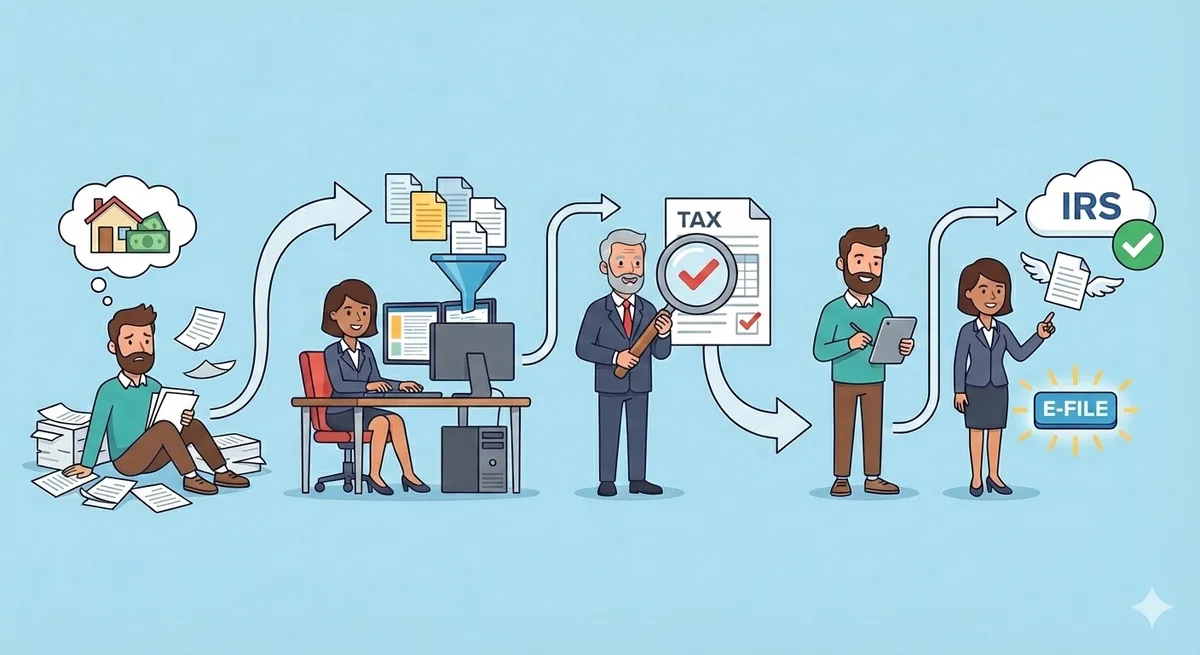
Every return is a little different, but most work moves through these stages.
Step 1
Use the secure online organizer to answer questions, upload tax documents, and submit everything to us. If we do your company's bookkeeping, you can skip requests for financial reports we already maintain.

Step 2
The team uses your organizer answers and documents to build the return, check for obvious issues, and organize the workpaper support.

Step 3
If something is unclear, we send focused questions. The organizer is usually the best place to answer and upload additional documents.

Step 4
A CPA reviews the return, makes final adjustments, and considers current tax rules and your situation before delivery.

Step 5
You review the summary, instructions, and any video explanation we provide. Please read payment and filing instructions before signing.

Step 6
Depending on your return, you may need to make a payment online, mail a form, or keep copies for your records.

Step 7
We electronically file the returns. If a filing is rejected, we work through the issue and let you know what is needed.
These are the plain-English stages we want clients to recognize as the hub improves.
Your return is waiting for organizer information or is queued for the team.
Complete the organizer and upload documents when ready.
The team needs missing documents, answers, or clarification before work can continue cleanly.
Respond in the organizer when possible so the details stay with the return.
A preparer is actively building the return and organizing support.
Watch for focused questions if anything is missing or unclear.
A specific issue needs your answer or a team decision before the return moves forward.
Reply with the requested detail. Avoid sending unrelated documents in a separate thread.
The return is with review for accuracy, tax treatment, and final adjustments.
No action is usually needed unless the reviewer asks a follow-up question.
The return has been delivered for your review and signature.
Review the instructions carefully before signing or making payments.
Signed authorization has been received and the return is ready for filing.
Confirm any payment instructions that apply to you.
The return has been transmitted and accepted by the IRS or state agency.
Save the final copies and follow any remaining payment or records instructions.
Use the organizer when the question belongs with this year's return, documents, or missing information.
Use the tax team channel for strategy, IRS or state notices, estimates, and payment deadlines.
Zoom meetings are best for planning and topics that need a real conversation, not a quick document follow-up.